 Thanks: 0
 Likes: 0
 Dislikes: 0
-
Live Broadcast Thread - 2006 Redfire Mustang GT - M105/M205 Twins - Extreme Makeover
-
-
Super Member

Re: Pictures and Videos - 2006 Redfire Mustang GT - M105/M205 Twins - Extreme Makeover
Don't forget that you all have another chance to watch and win tonight!

 Yancy Martinez - MNKYHead Car Care
-
Super Member
Re: Pictures and Videos - 2006 Redfire Mustang GT - M105/M205 Twins - Extreme Makeover
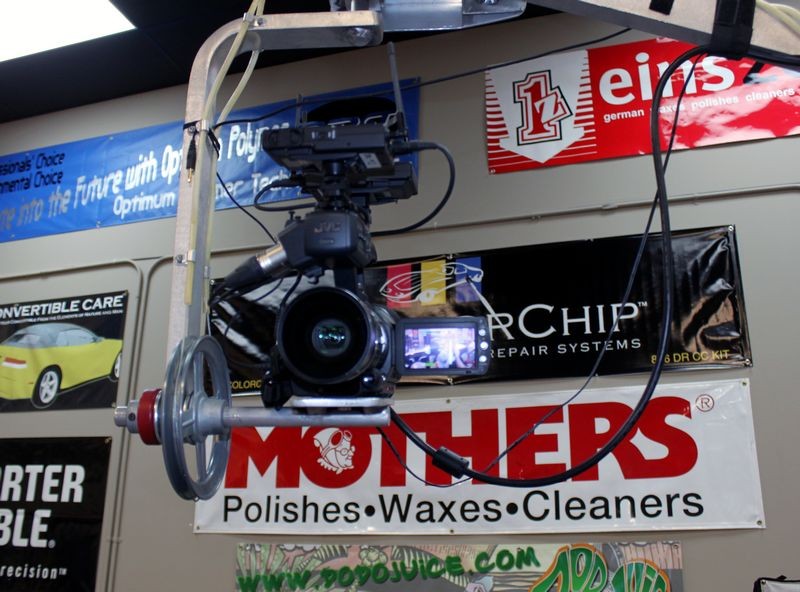
Ok cameras and software all set up for tonights broadcast. See you all in 4 1/2 hours.
Yancy Martinez - MNKYHead Car Care
-
Super Member
Re: Pictures and Videos - 2006 Redfire Mustang GT - M105/M205 Twins - Extreme Makeover
Car is here, wiping it down now, t-minus 1 hour and 15 minutes until show time!
Yancy Martinez - MNKYHead Car Care
-
Super Member
-
Regular Member

Re: Pictures and Videos - 2006 Redfire Mustang GT - M105/M205 Twins - Extreme Makeover
I'm super excited... This is my first time watching a live extreme makeover on the forums. I recently had PDR done to the Mazda, and I have to admit I was amazed by the results. It truly is something amazing to watch firsthand.
-
Super Member
Re: Pictures and Videos - 2006 Redfire Mustang GT - M105/M205 Twins - Extreme Makeover
 Originally Posted by 1Clean3

I'm super excited... This is my first time watching a live extreme makeover on the forums. I recently had PDR done to the Mazda, and I have to admit I was amazed by the results. It truly is something amazing to watch firsthand.
Glad to have you here tonight. The best part of these LIVE feeds are the little tips and techniques that you pick up.
Yancy Martinez - MNKYHead Car Care
-
McKee's 37 Product Support
Re: Pictures and Videos - 2006 Redfire Mustang GT - M105/M205 Twins - Extreme Makeover
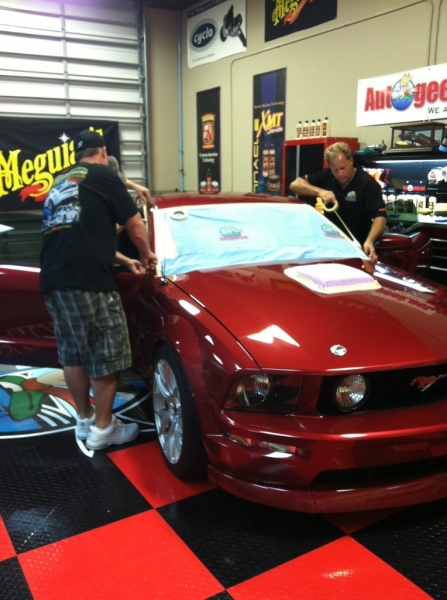
The Mustang is here and the guys are taping off all the trim!
-
Super Member
Re: Pictures and Videos - 2006 Redfire Mustang GT - M105/M205 Twins - Extreme Makeover
Here are a few quick tips for watching and interacting with the feed.
Refreshing Conversation Thread
Google Chrome, Internet Explorer and Firefox you can refresh only the forum section. To do this simply right click on the forum thread part and hit refresh or reload (different browsers call it different things). Sorry Safari folks, doesn't work in there, but you can have two different Safari windows open and have the thread on one and the video on the other. Then just refresh the forum only window.
Mobile Devices
If you go to this link (Autogeek's Show Car Garage LIVE Feed) on your iphone, ipad or any smart phone you will be able to stream this.
Enlarging Video
You can take the video "Full Screen" simply by clicking on the bottom right icon on the video player (the black square). To bring the video back from full screen just hit your "ESC" key or the square icon again.
If you have any other questions feel free to hit me up and I will help you out.
Yancy Martinez - MNKYHead Car Care
Similar Threads
-
By Mike Phillips in forum Show N' Shine
Replies: 10
Last Post: 12-13-2013, 02:08 AM
-
By Mike Phillips in forum Wednesday Night Detailing Classes - Info & Dates
Replies: 16
Last Post: 08-09-2012, 08:09 AM
-
By Mike Phillips in forum Wednesday Night Detailing Classes - Info & Dates
Replies: 34
Last Post: 07-27-2012, 05:57 PM
-
By Mike Phillips in forum PICTURES: Wednesday Night Detailing Classes
Replies: 28
Last Post: 05-18-2012, 07:36 AM
-
By BenSRT in forum Auto Detailing 101
Replies: 15
Last Post: 07-06-2011, 01:09 PM
 Members who have read this thread: 0
There are no members to list at the moment.
Posting Permissions
- You may not post new threads
- You may not post replies
- You may not post attachments
- You may not edit your posts
-
Forum Rules
|
| S |
M |
T |
W |
T |
F |
S |
| 31 |
1
|
2
|
3
|
4
|
5
|
6
|
|
7
|
8
|
9
|
10
|
11
|
12
|
13
|
|
14
|
15
|
16
|
17
|
18
|
19
|
20
|
|
21
|
22
|
23
|
24
|
25
|
26
|
27
|
|
28
|
29
|
30
| 1 | 2 | 3 | 4 |
|





















 Reply With Quote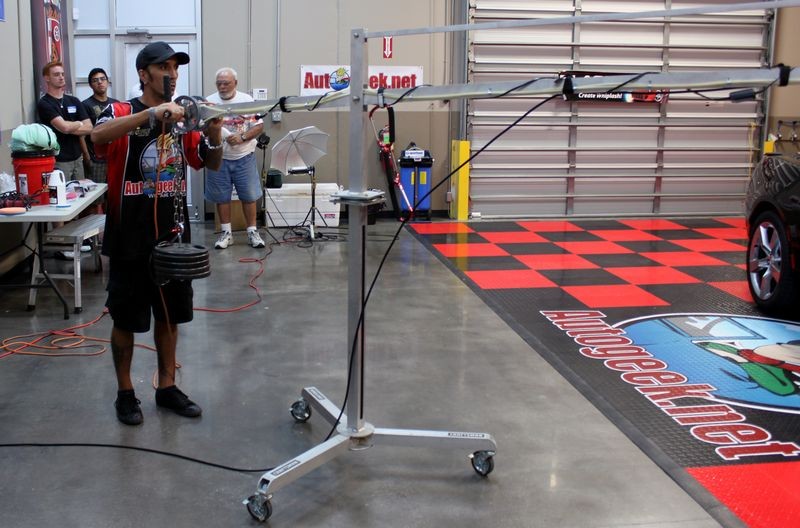


Bookmarks